
02 / The curriculum
Make the content clear.
Visitors can open the course plan and see the lesson topics before choosing how to take part.
sigmaup.pro/main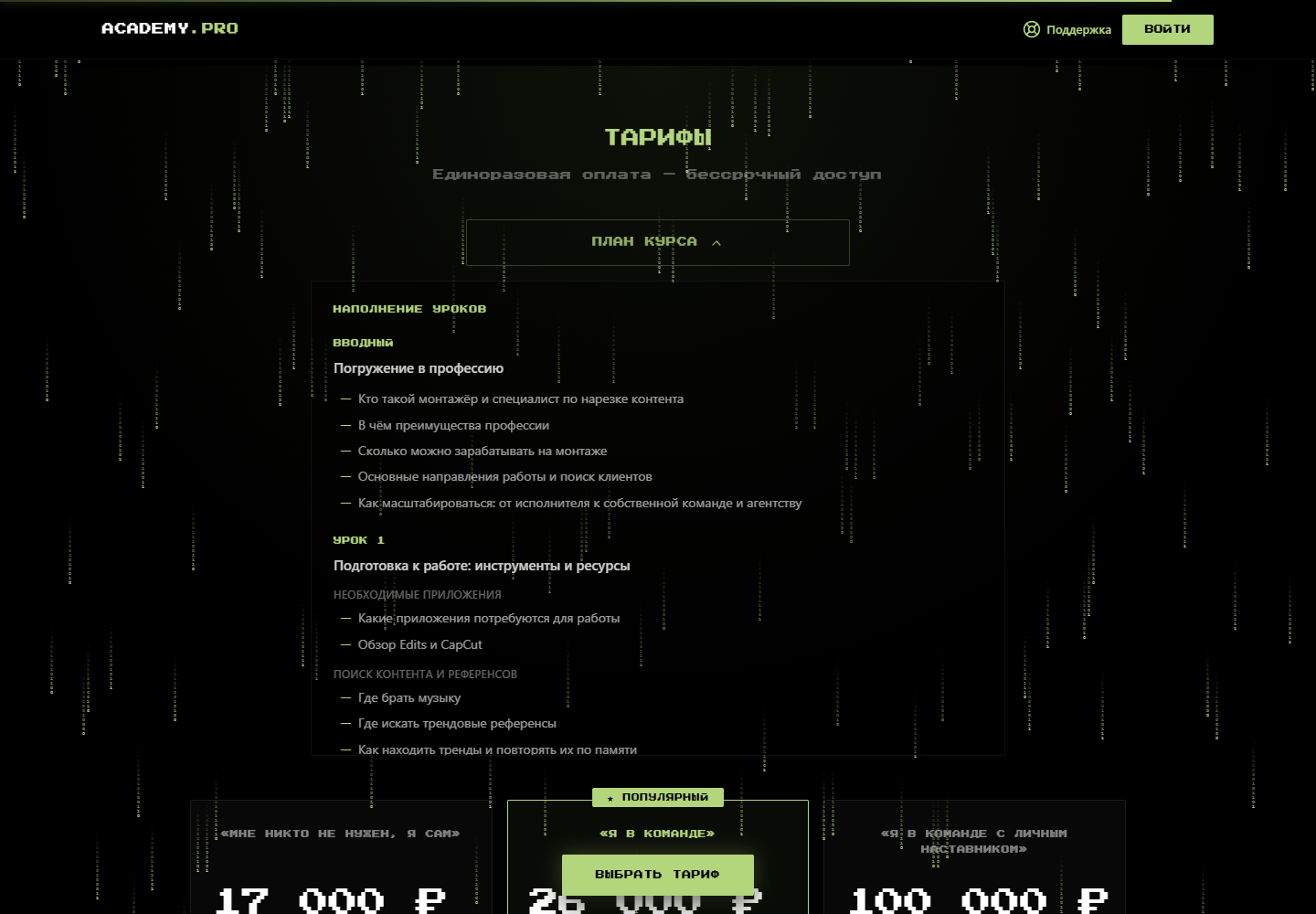 View full screen
SigmaUp
We built a website for SigmaUp’s mobile video editing course. It introduces the creator and learning format, presents the curriculum and helps visitors compare ways to take part.
 View full screen
Prospective students need to understand the course topic, who teaches it, how learning works and how the plans differ. The education business needs a website that brings this information together in a clear sequence and makes the next step easy to find.
The public page connects an introduction to Daniil Cherepakhin with course information, the curriculum and participation plans. Visitors can explore the content, compare independent learning with supported options, find help and access the sign-in page.
Actual public pages in Russian. Open an image to see the details.
Visitors can open the course plan and see the lesson topics before choosing how to take part.
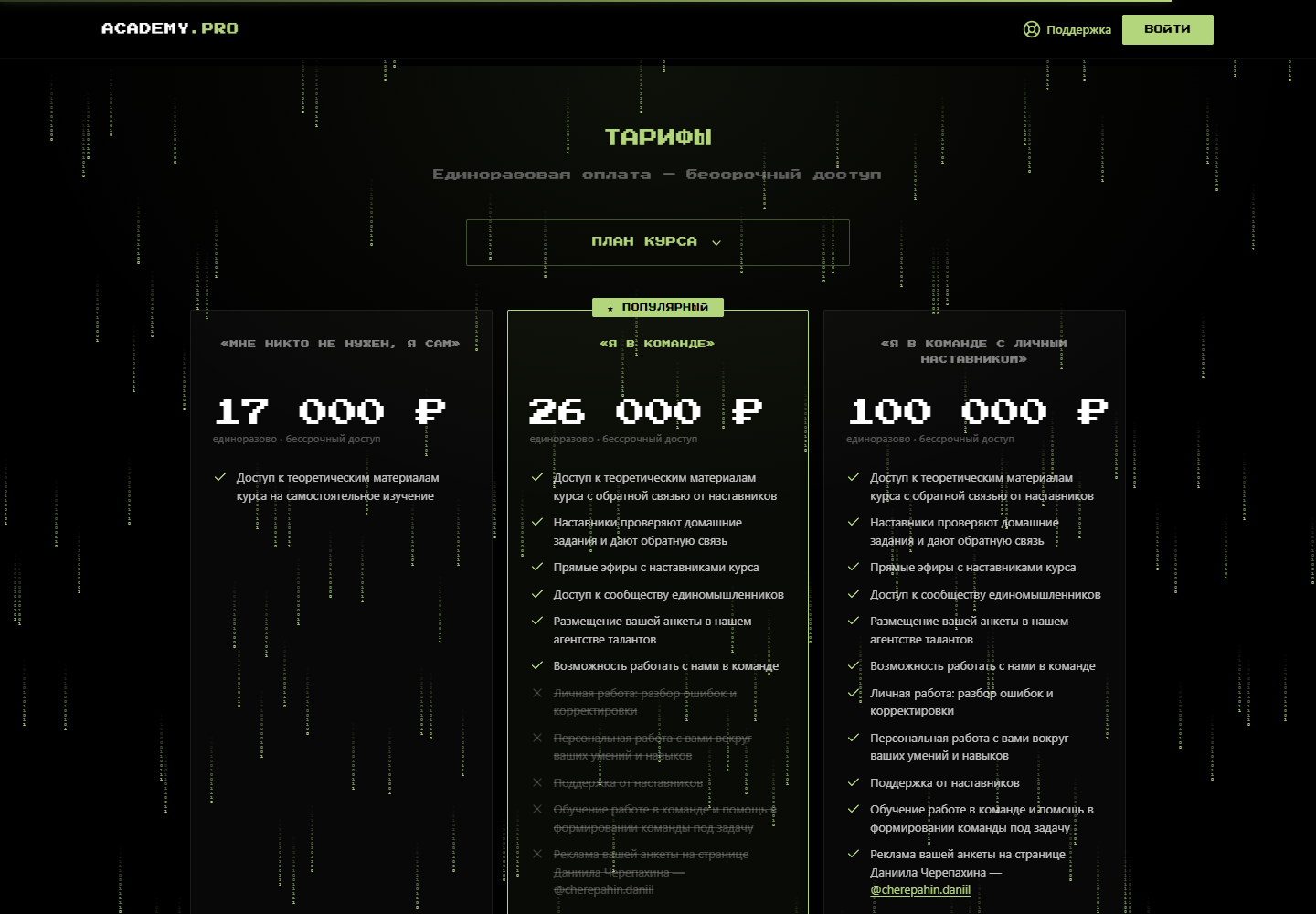
sigmaup.pro/mainView full screenIndependent learning, support from mentors or personal guidance: each plan shows what is included.
 View full screen
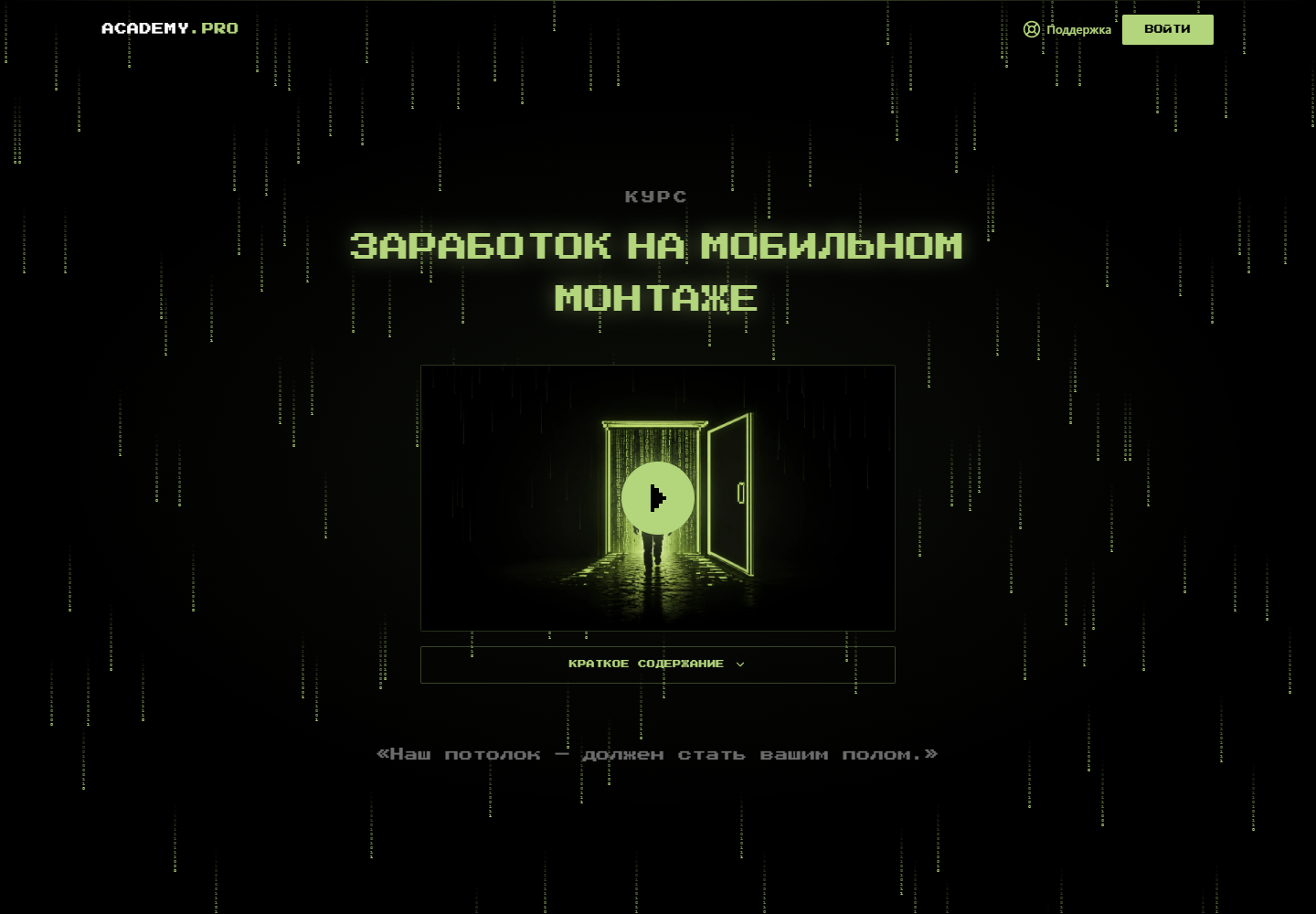
The opening screen introduces mobile video editing. The page then explains who the course is for and how the learning experience is organised.
Daniil Cherepakhin’s story and course information help visitors understand who is behind the project.
Visitors can open the course plan from the page and review the content before choosing a participation option.
Plan descriptions explain what is included, from independent study to learning with support. Participation terms are nearby, with sign-in and support links in the navigation.
The education project has a page for introducing its creator, explaining the learning experience, presenting the curriculum and comparing plans. This case shows SigmaUp’s public website through real screenshots.
Project you are exploring: SigmaUp
Its name is already in the form. Tell us what you would like to adapt.
Leave your contact details. We will arrange a call, review how you work and suggest a useful first step. If you want us to build it, we will discuss the scope, price and timing on the call.
Message us on Telegram $0 · No obligation to buy development.